
Back to Products
Procedural Plant Creator
Create trees, palms, shrubs and grasses with editable graphs, live previews, hand shaping, reusable variables and complete-plant mesh export.
About This Product
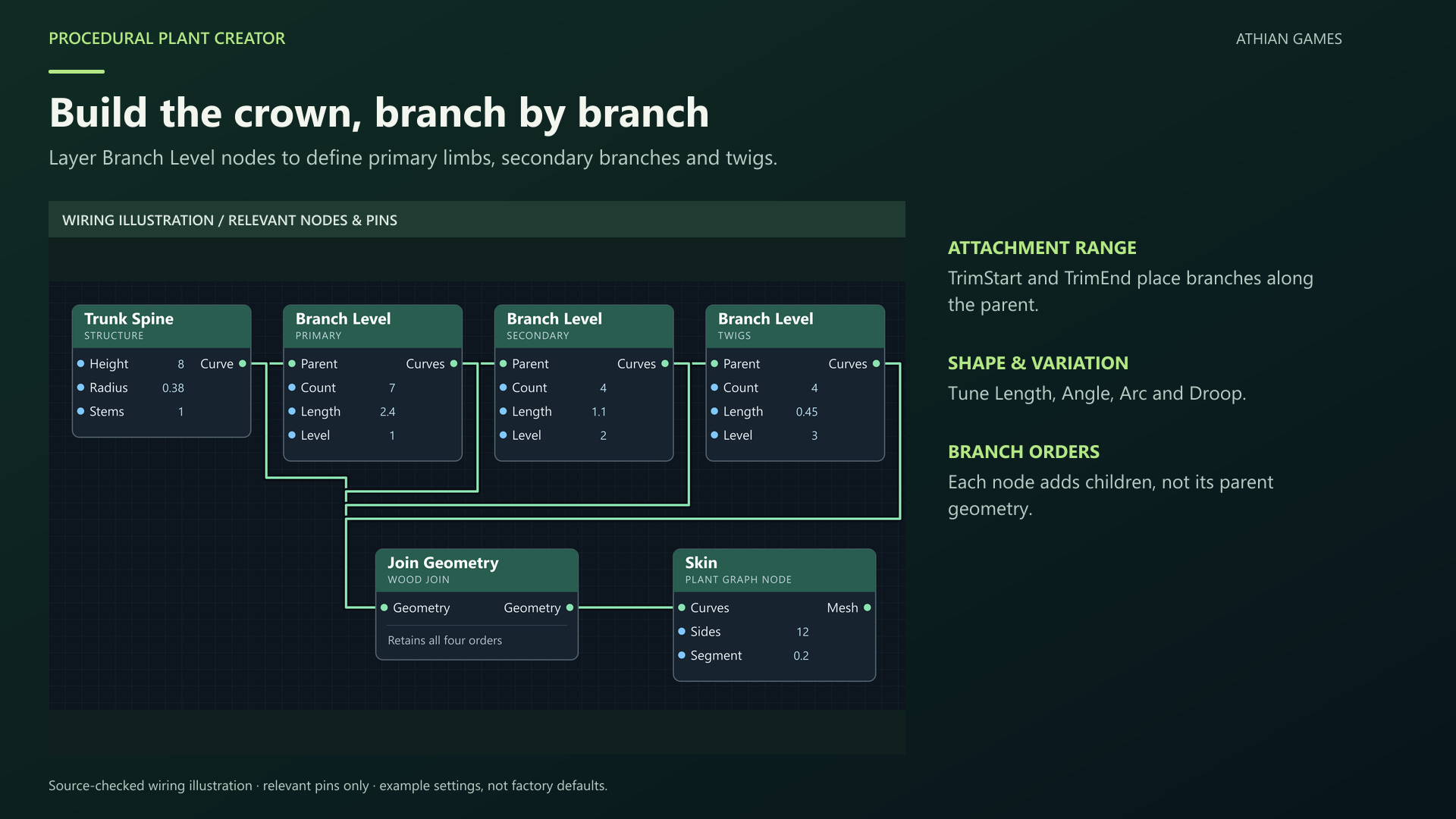
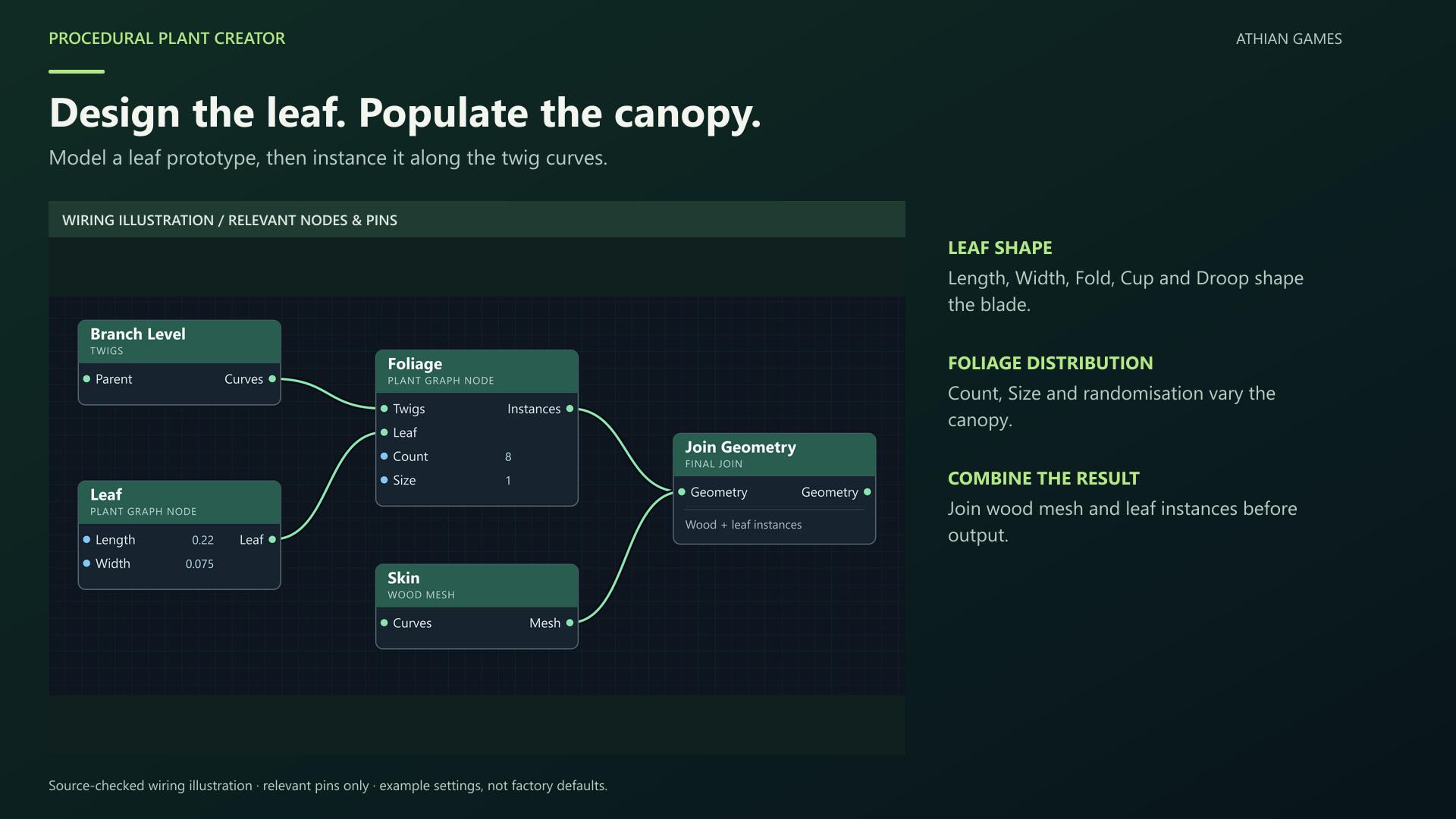
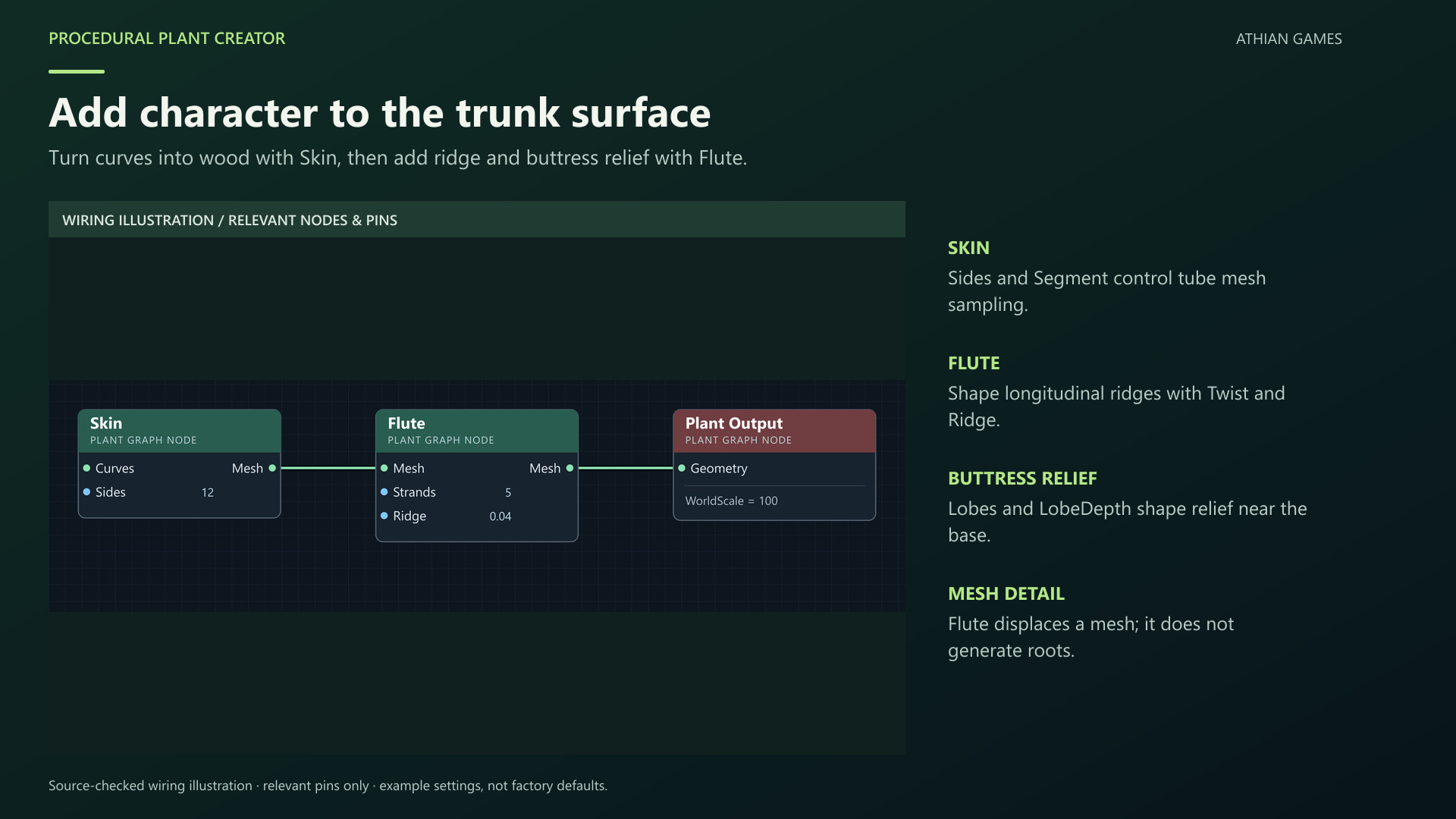
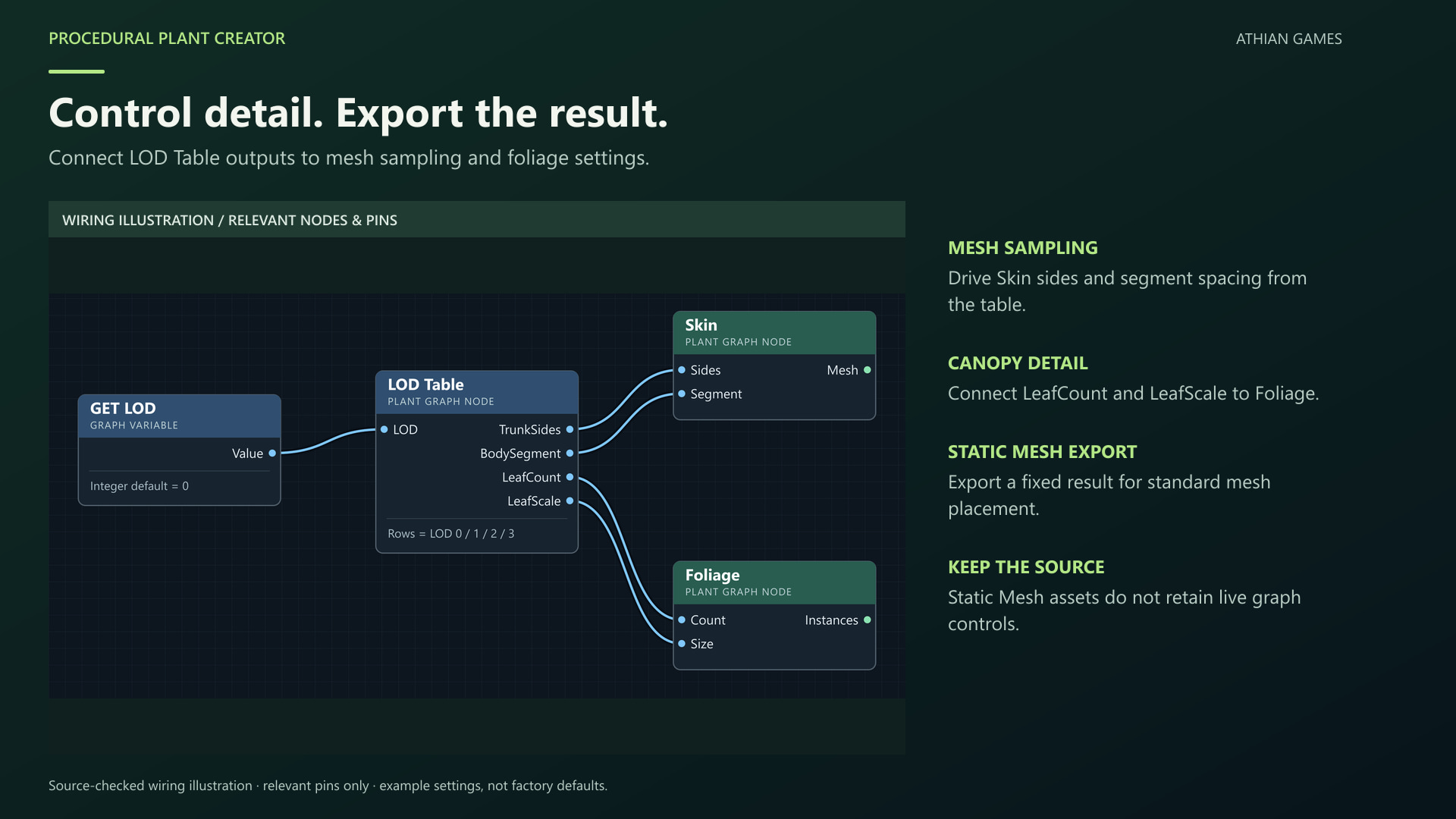
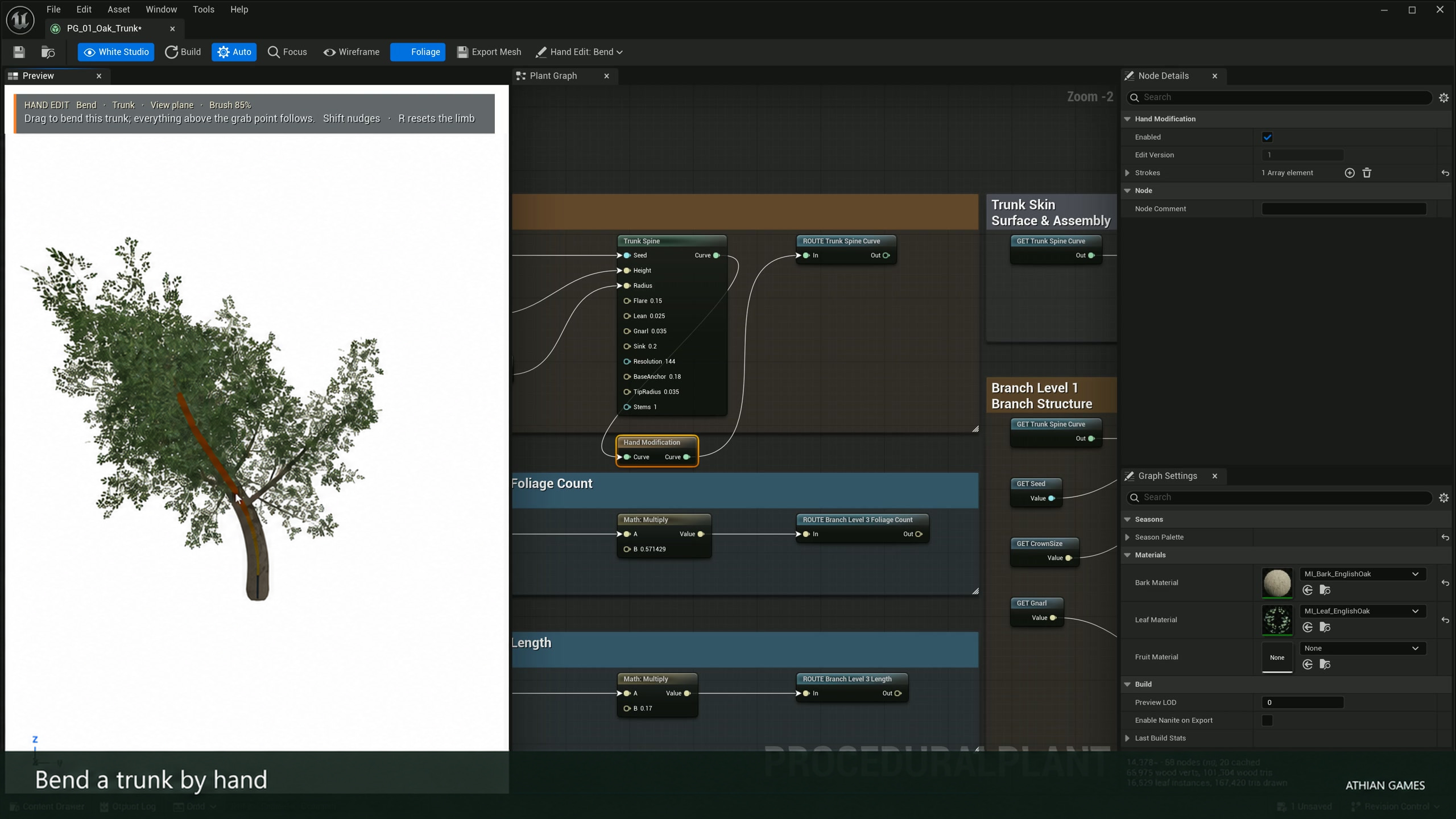
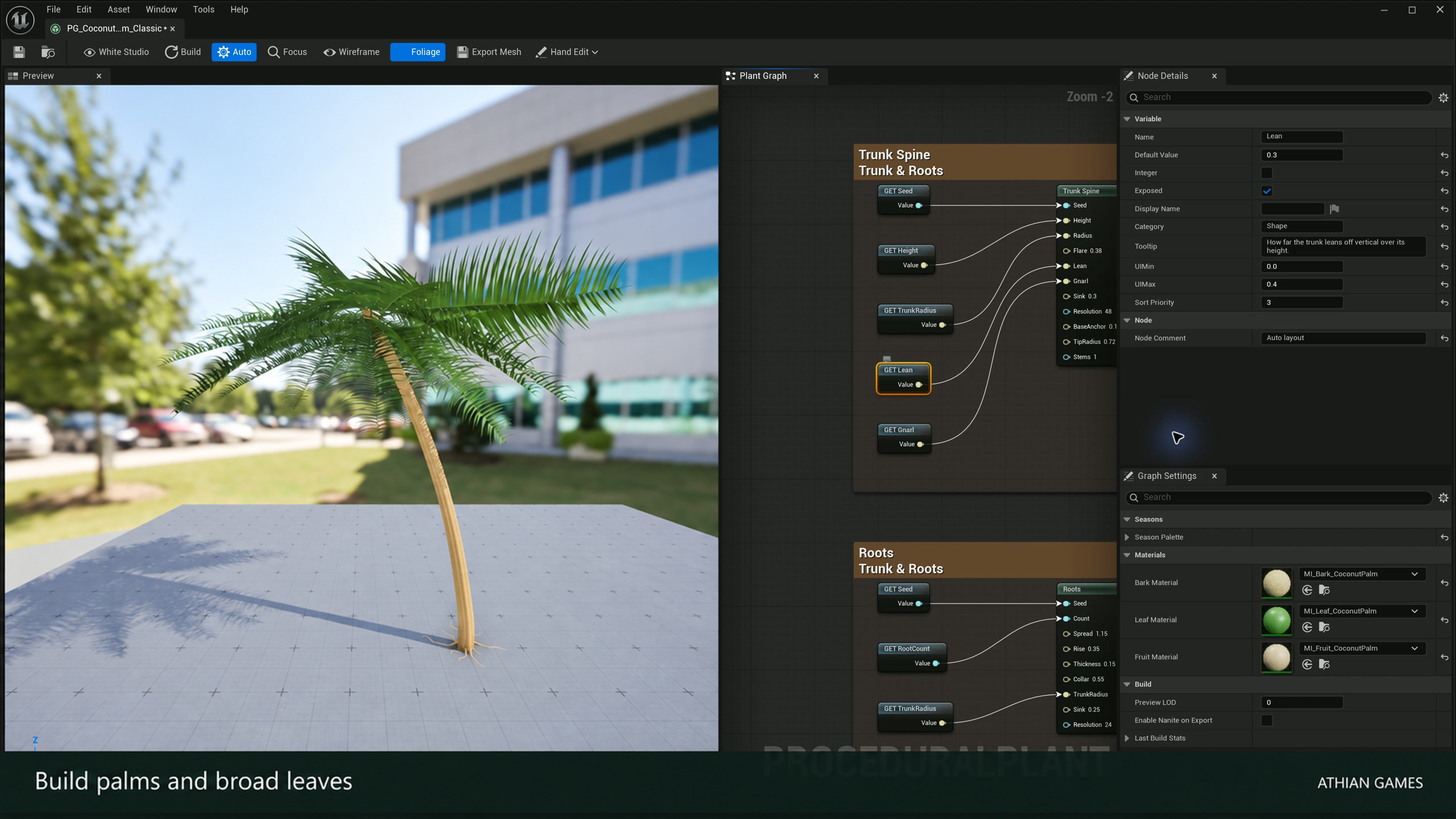
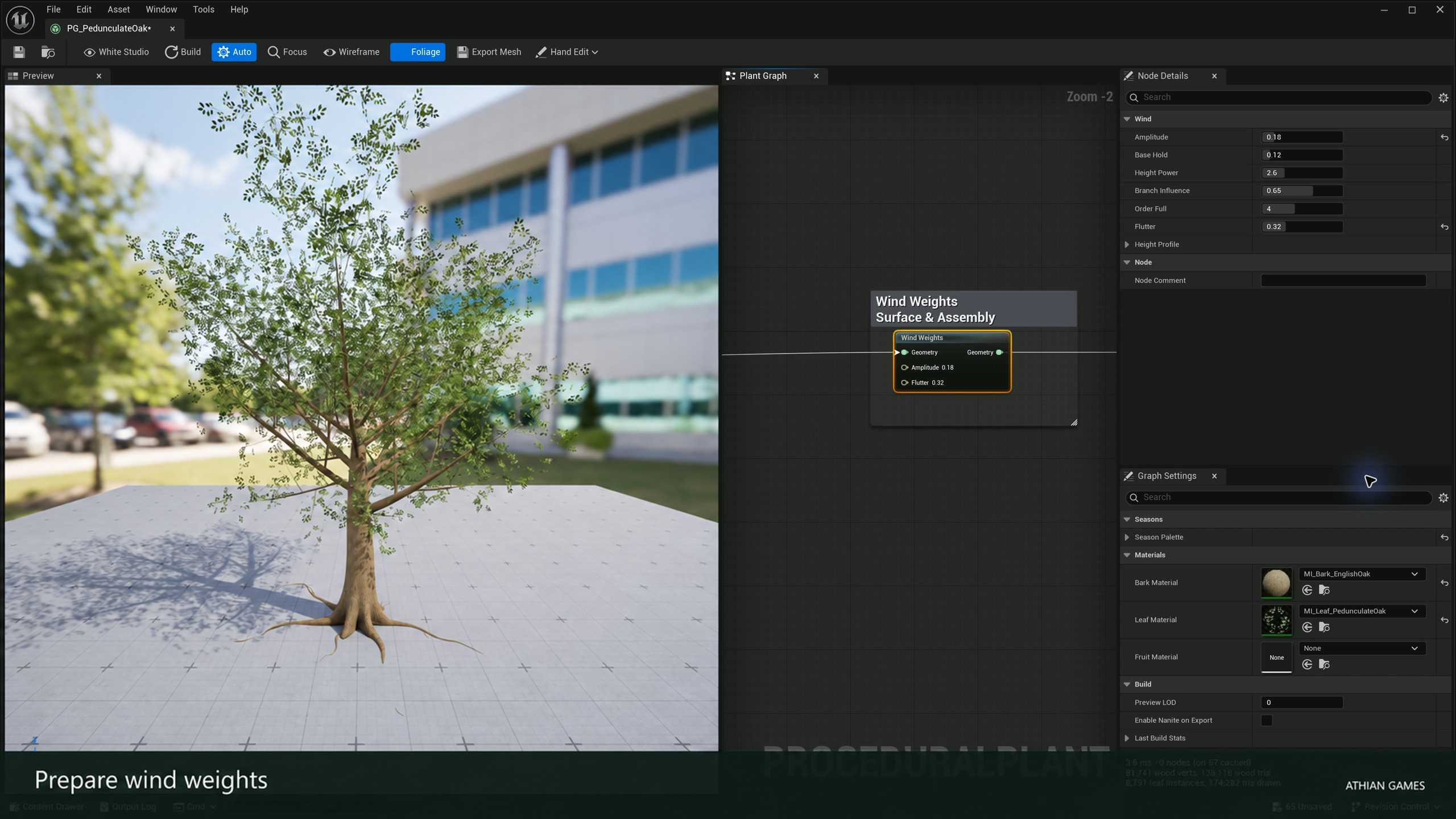
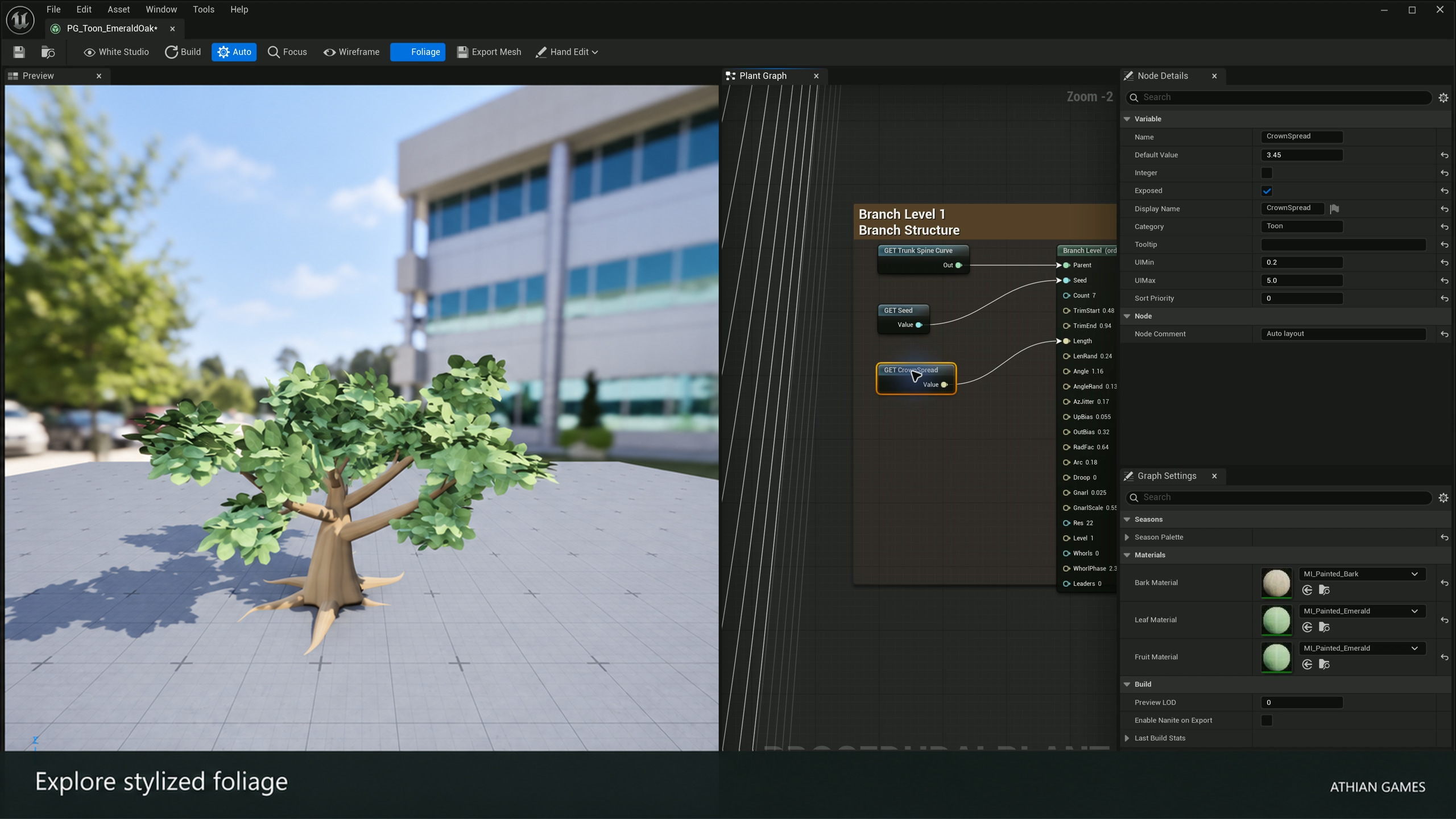
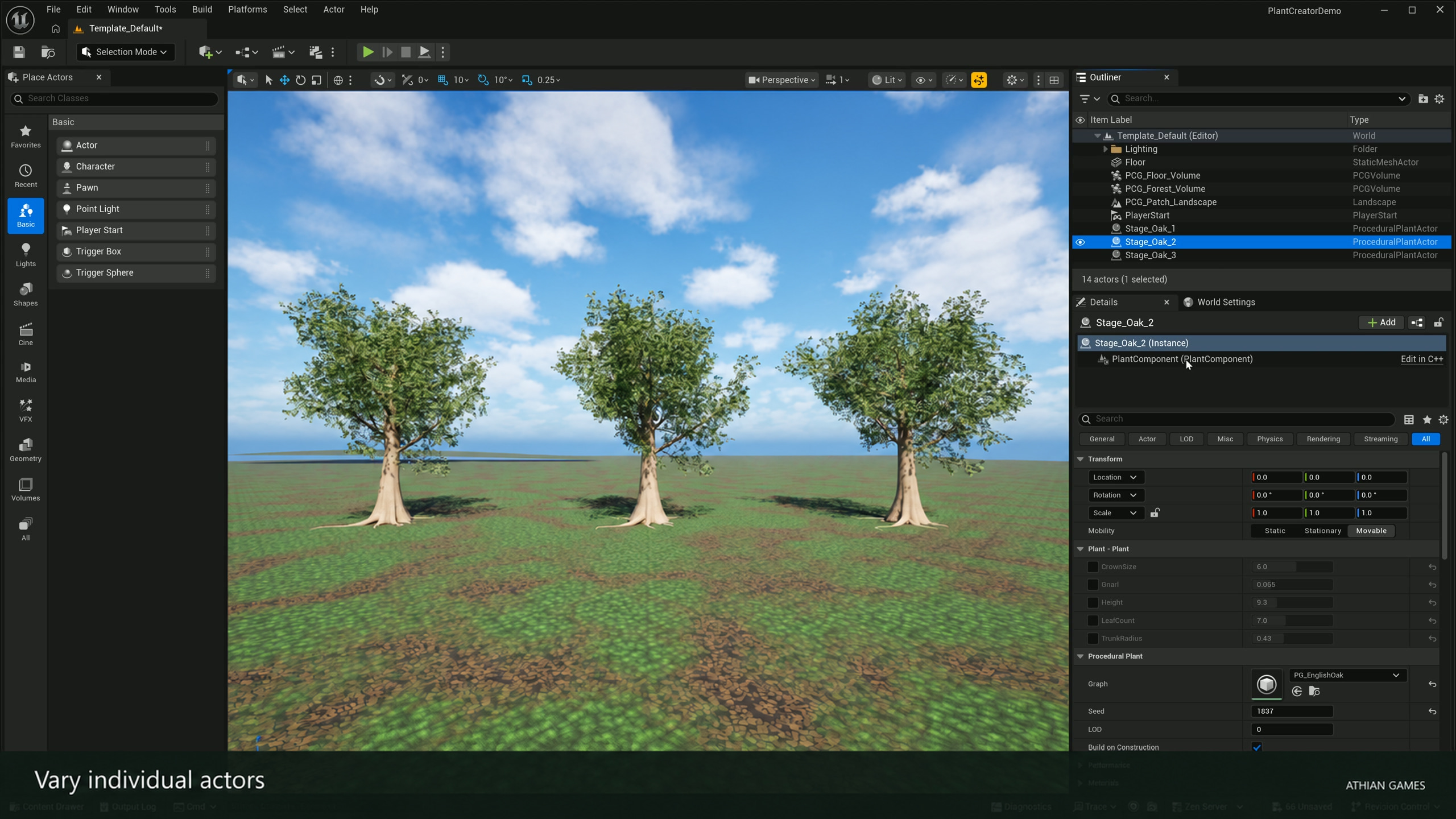
Create plants in a dedicated Plant Graph editor with a live preview, selected-node Details, graph variables and undoable edits. Curve generators define trunks, roots and branch hierarchies; Skin makes wood geometry; Leaf, Leaf Card and Frond provide foliage prototypes. Start from Empty Graph, Tree Starter, Grass Starter or Bush Starter. For a species or toon style, enable Show Plugin Content and duplicate a graph from Procedural Plant Creator Content/Presets into your own project. Existing graphs are edited in place; presets are separate assets. Use Hand Edit > Bend to shape a limb while the upper structure follows. Redraw from grab point preserves the lower limb, and drawing tools add trunks, branches or roots. Pick-target filters help reach a trunk, branch, root or individual leaf through dense foliage. Each committed stroke is stored on a Hand Modification node and can be undone. Review stored targets after changing structural seeds or branch counts. Expose shared graph variables and vary placed Procedural Plant Actors independently. Export Mesh creates fixed complete-plant geometry with graph-generated LODs; actor Bake retains saved wood and canopy instances. Re-export or re-bake after changing the source. Wind needs compatible materials, and runtime generation should be profiled for the intended scene. The separate content-only example includes organized graph recipes and showcase, seasonal, forest, marsh and stylized environments. Install the matching precompiled plugin separately, then open the example with the supported engine. Direct installation of the reviewer source plugin archive requires the Unreal C++ toolchain. The product gallery includes native Unreal screenshots and rendered footage with editorial titles, plus labeled node reference illustrations. Wiring diagrams in the manual are labelled reference illustrations. Some distributed source texture atlases were created with generative AI. The example uses Epic PCG, Water and Landmass features; their availability and rendering requirements follow the supported engine version.
What You Can Create
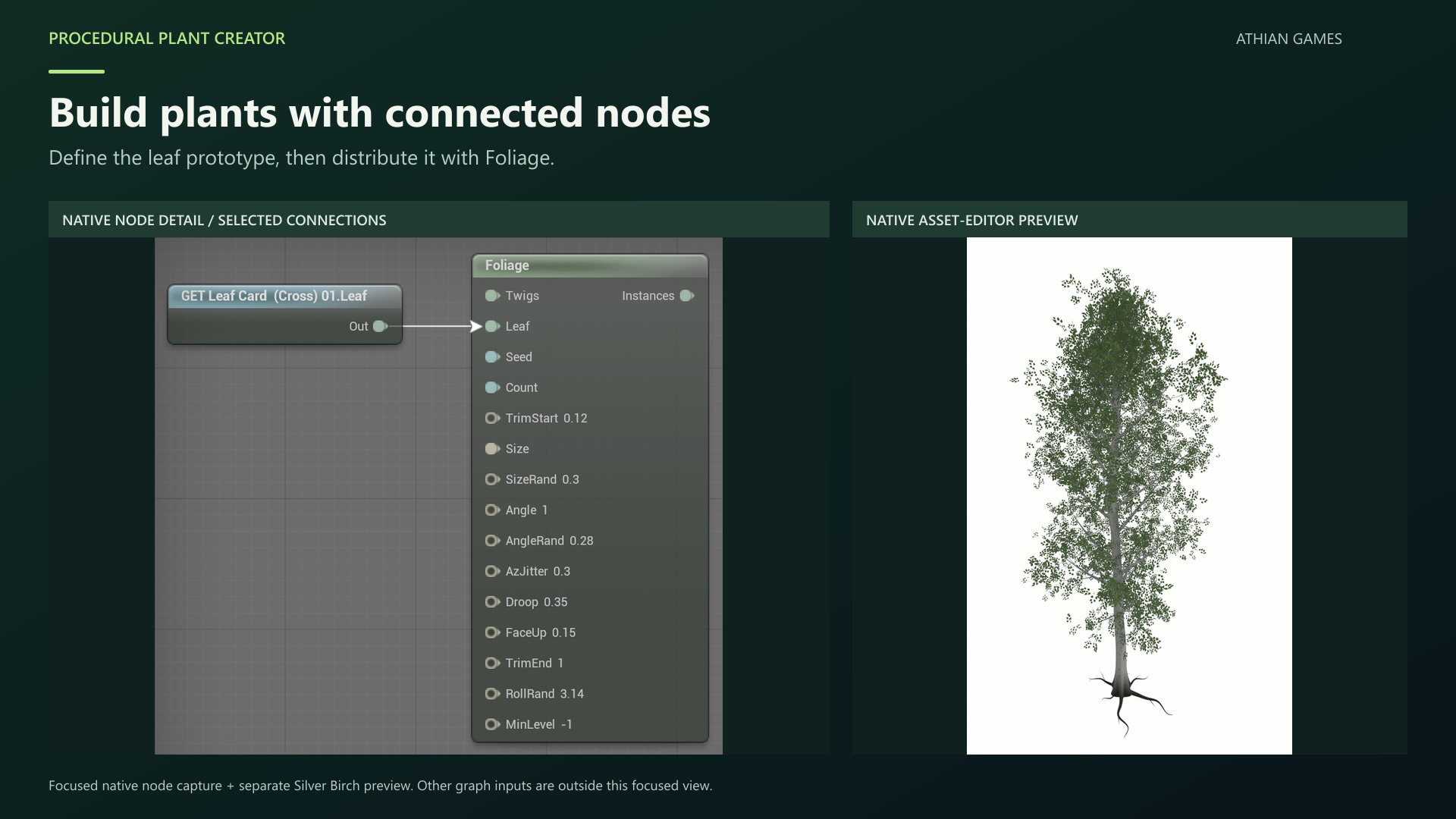
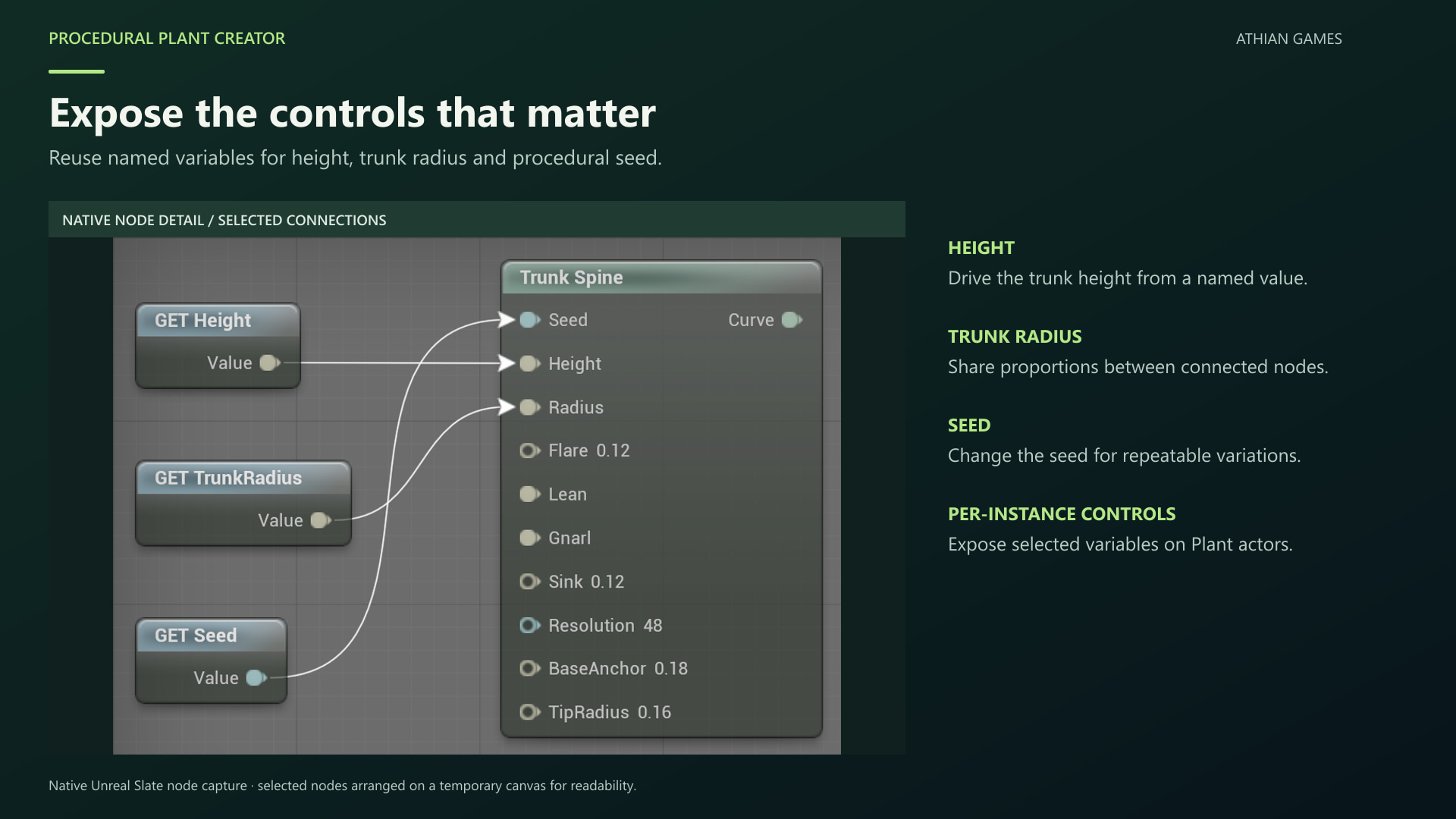
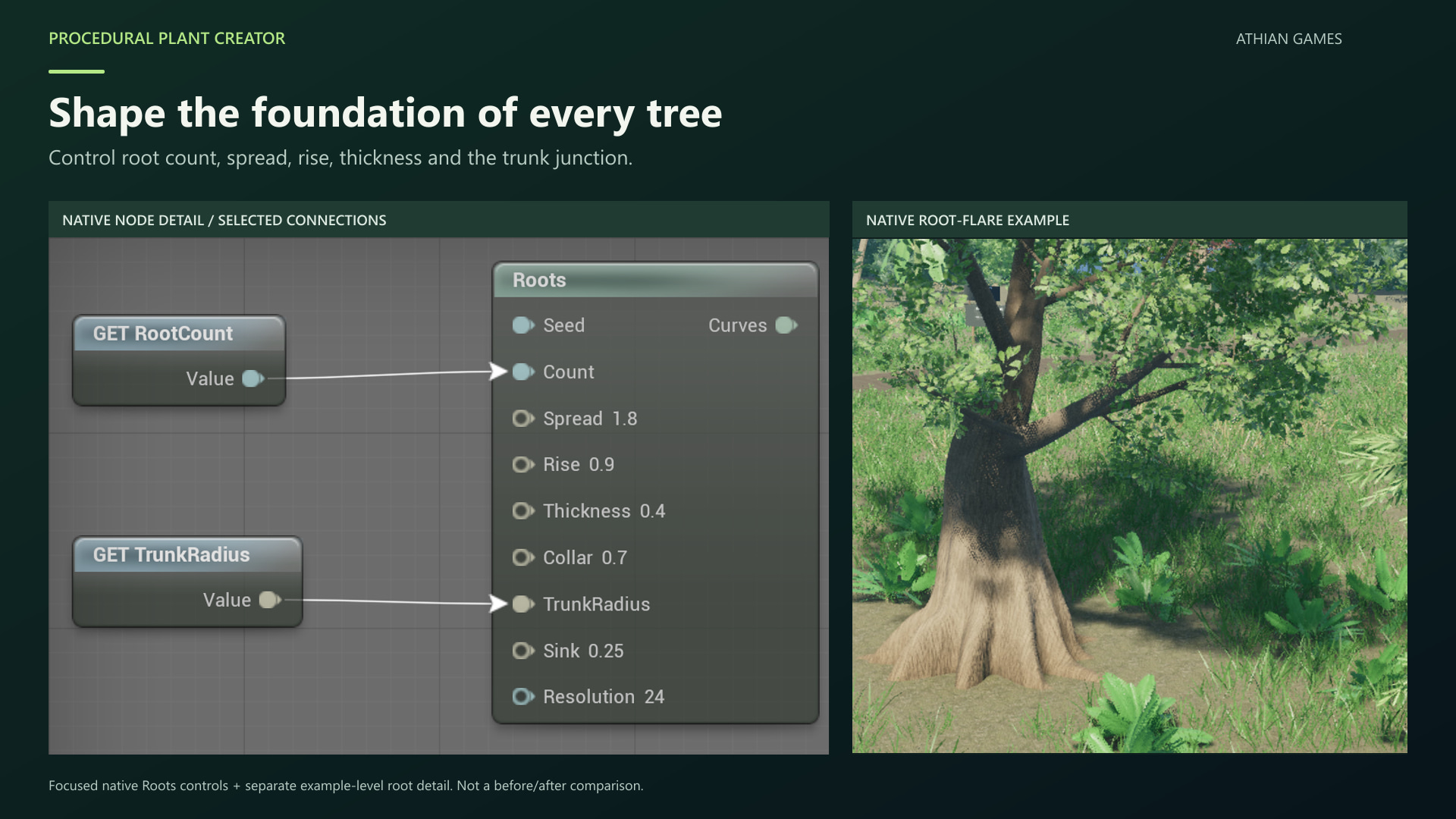
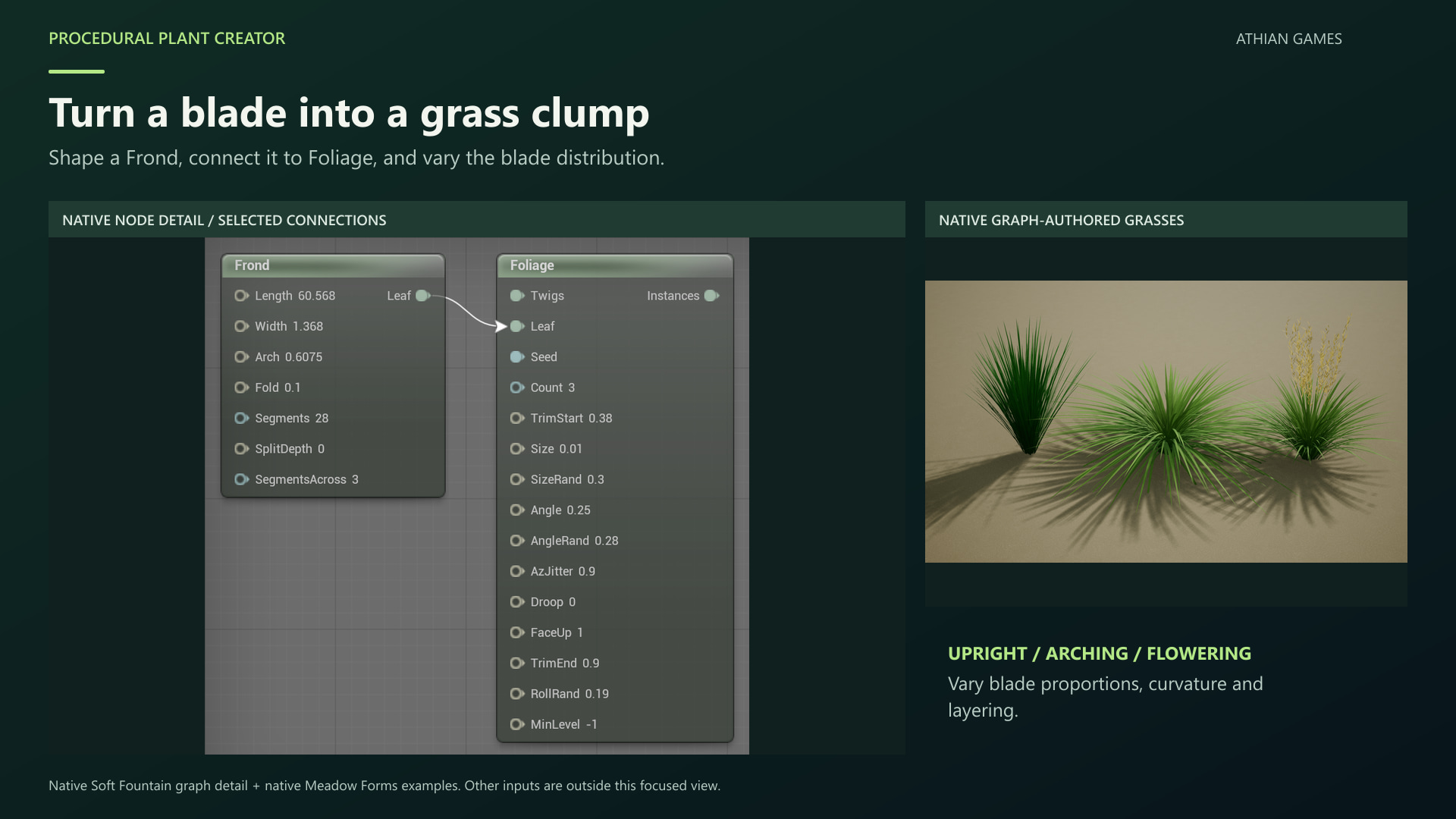
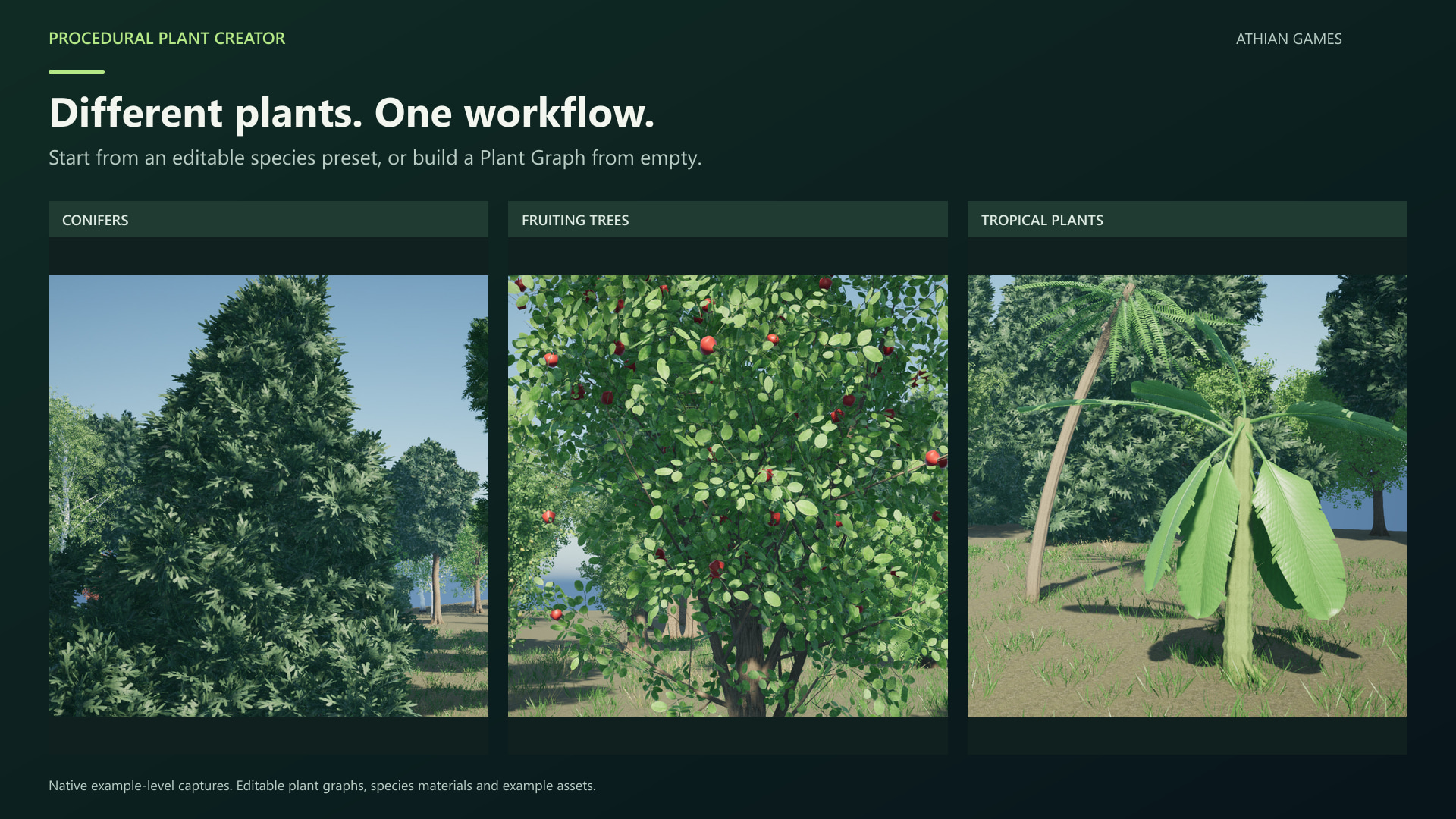
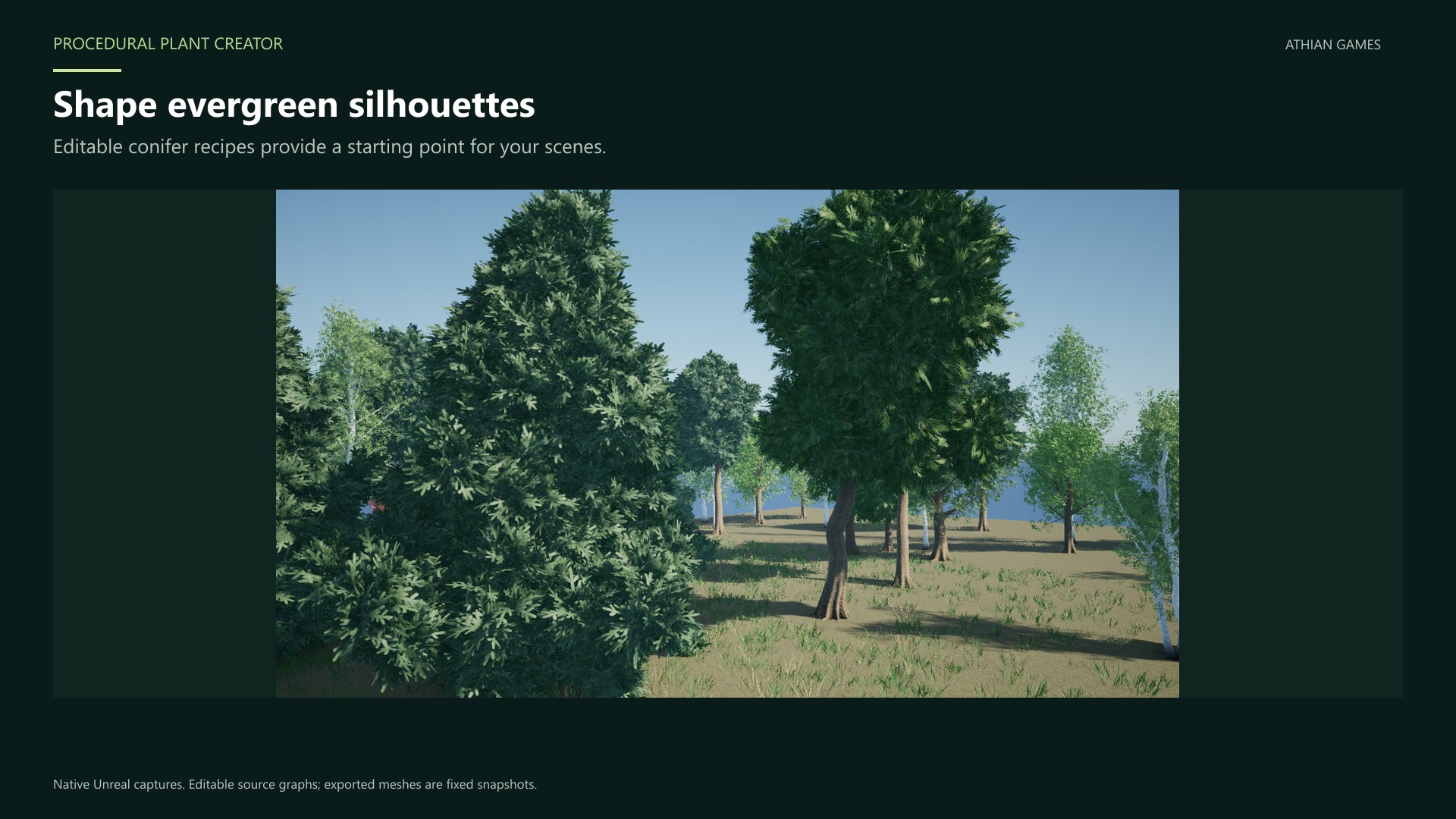
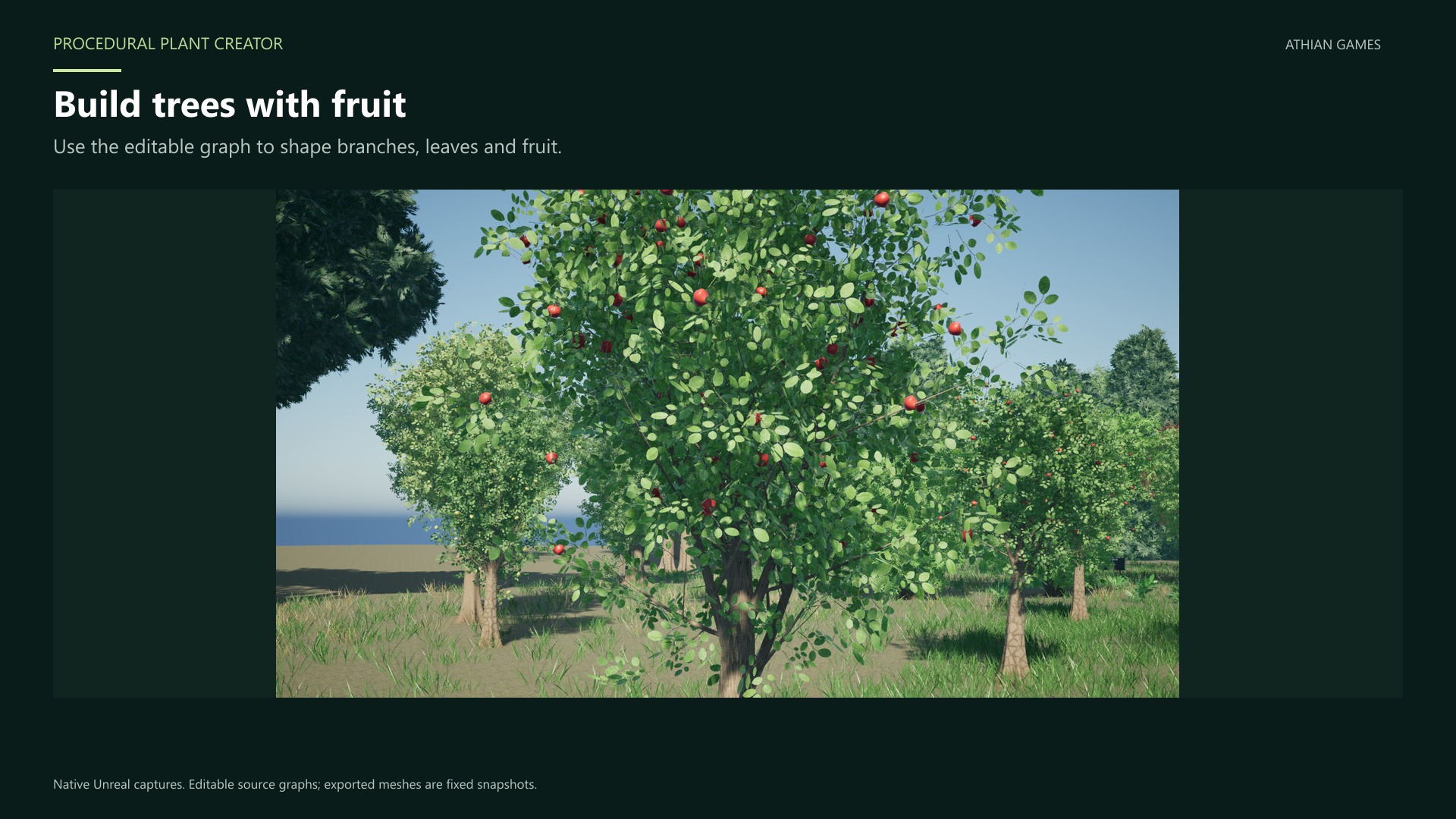
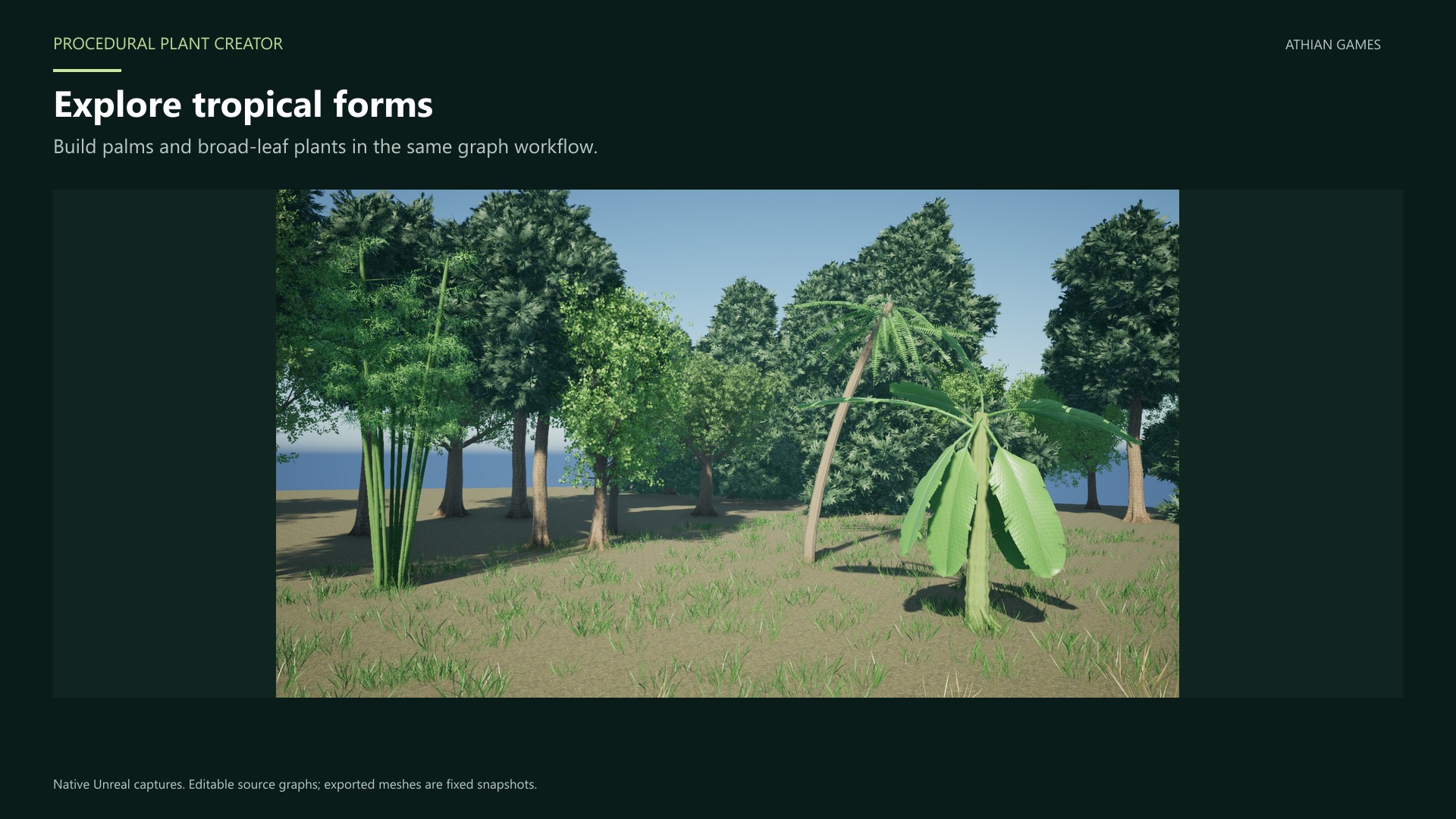
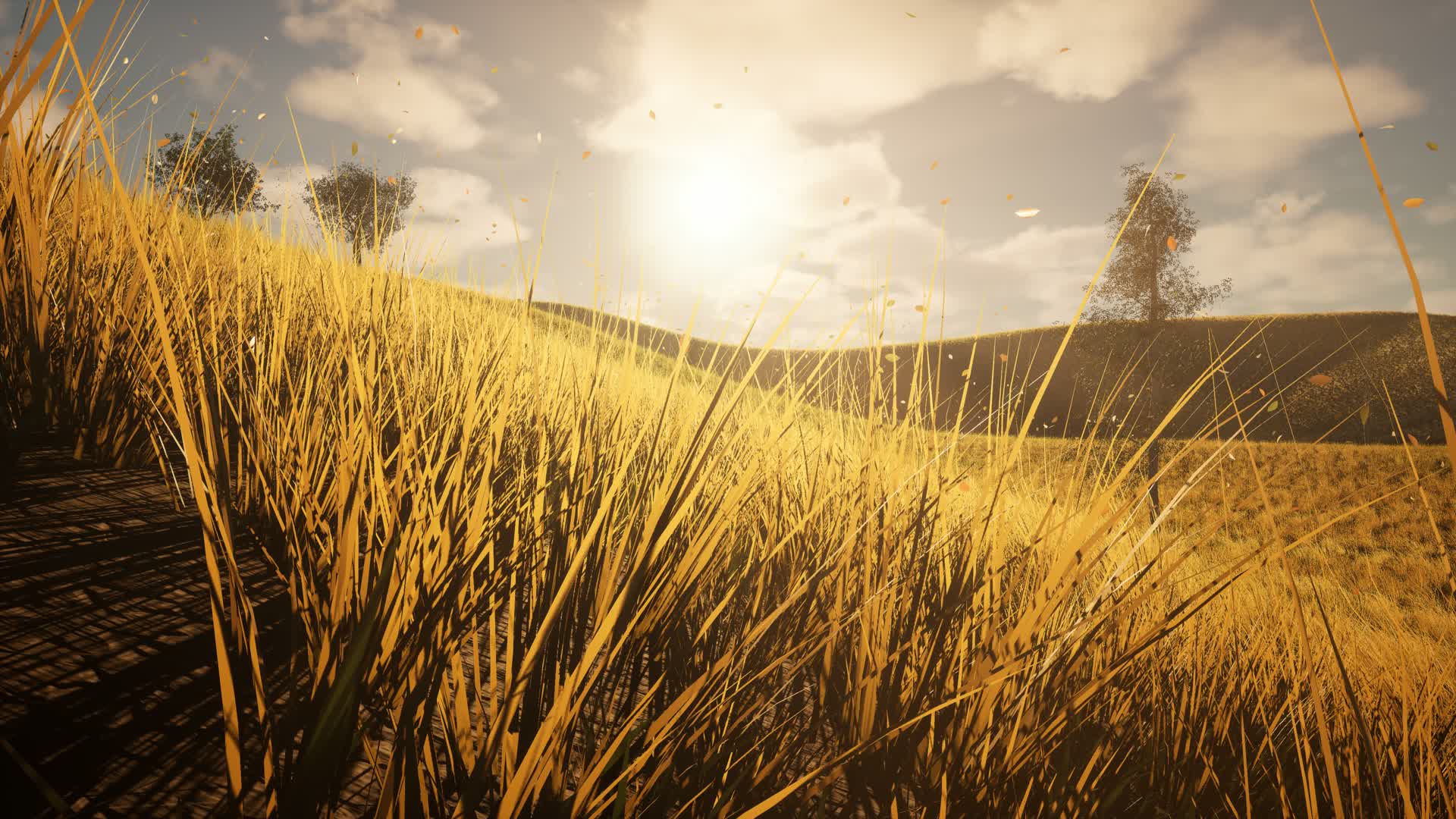
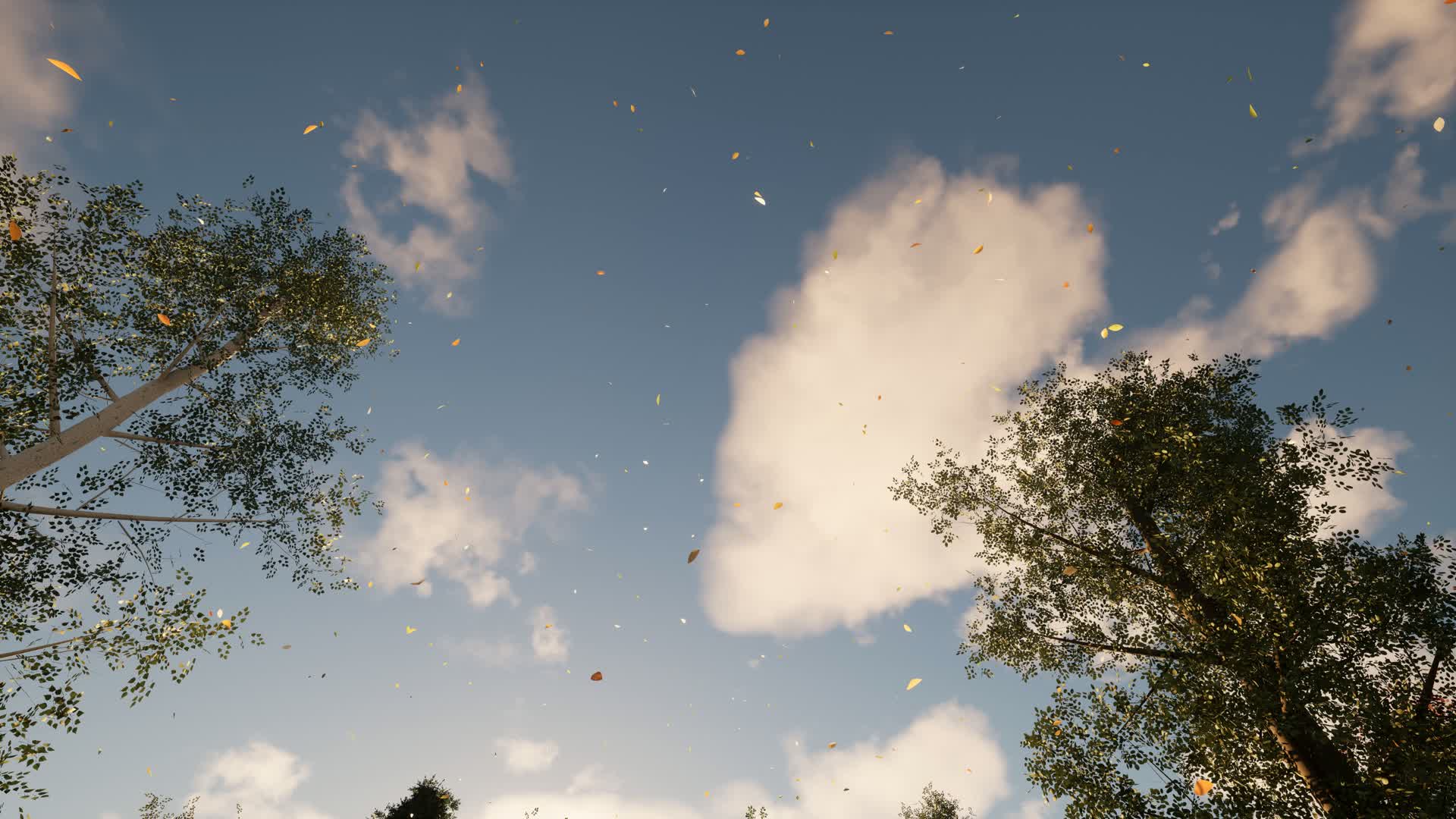
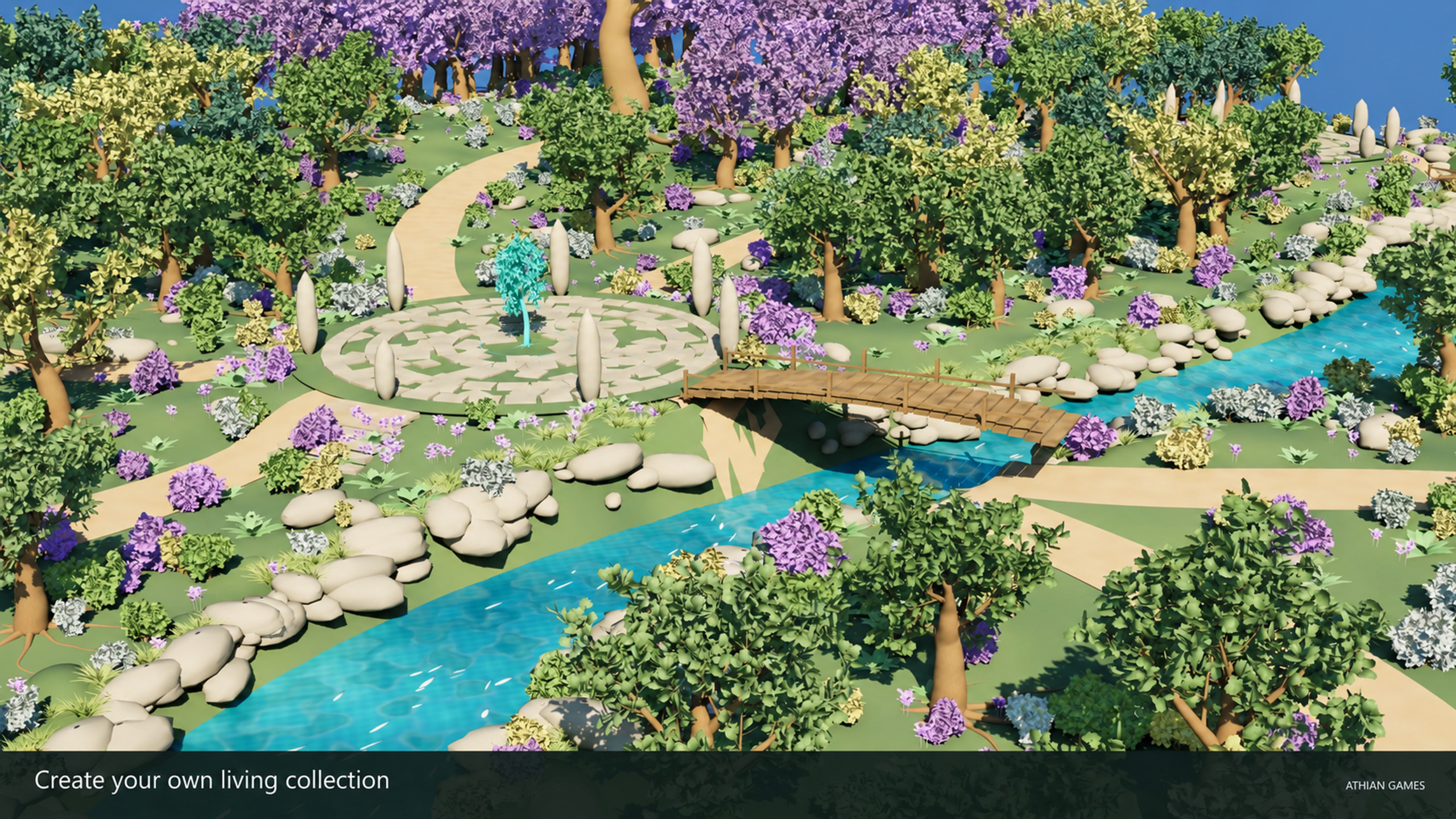
AI-polished Unreal workflow captures show graph controls, plant variation, hand editing and export. Original plant forms and native control panels are preserved. Open any image at full size.

Product videos
See it in action
Explore the workflow, follow a tutorial, or watch a demo. Play here or open on YouTube.
Features
Select image to view full size.
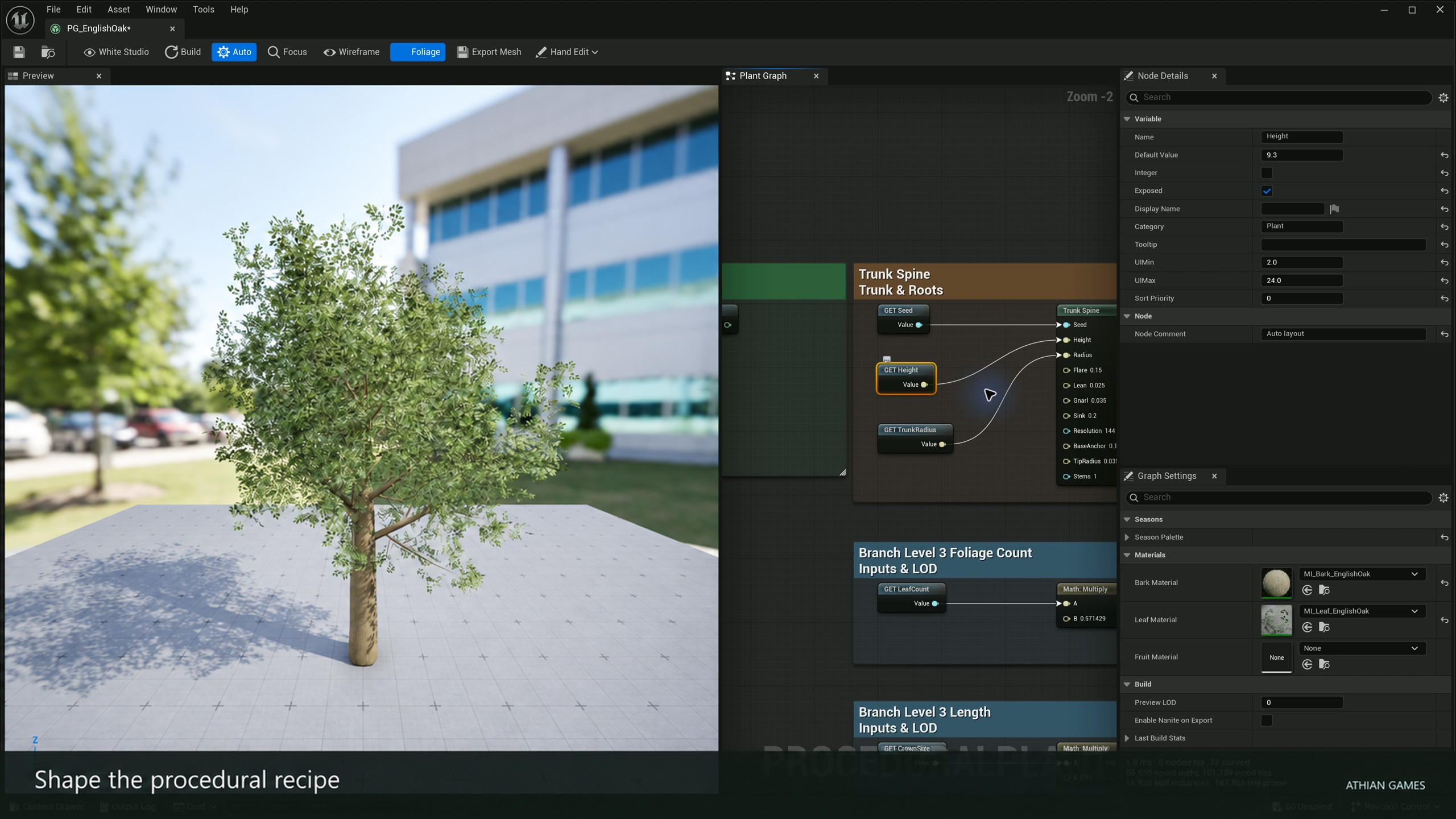
Edit the recipe and see the result
Change selected node parameters and exposed variables beside the live plant preview. Inspect the connections that control structure and foliage.
Learn MoreSelect image to view full size.
Shape limbs by hand
Bend, nudge or redraw a picked limb. Target filters, brush controls and undoable Hand Modification nodes keep the procedural source editable.
Learn MoreSelect image to view full size.
Start with editable plant recipes
Duplicate species or toon presets into your project and adapt their trunk, branches, fronds, leaves and materials.
Learn MoreSelect image to view full size.
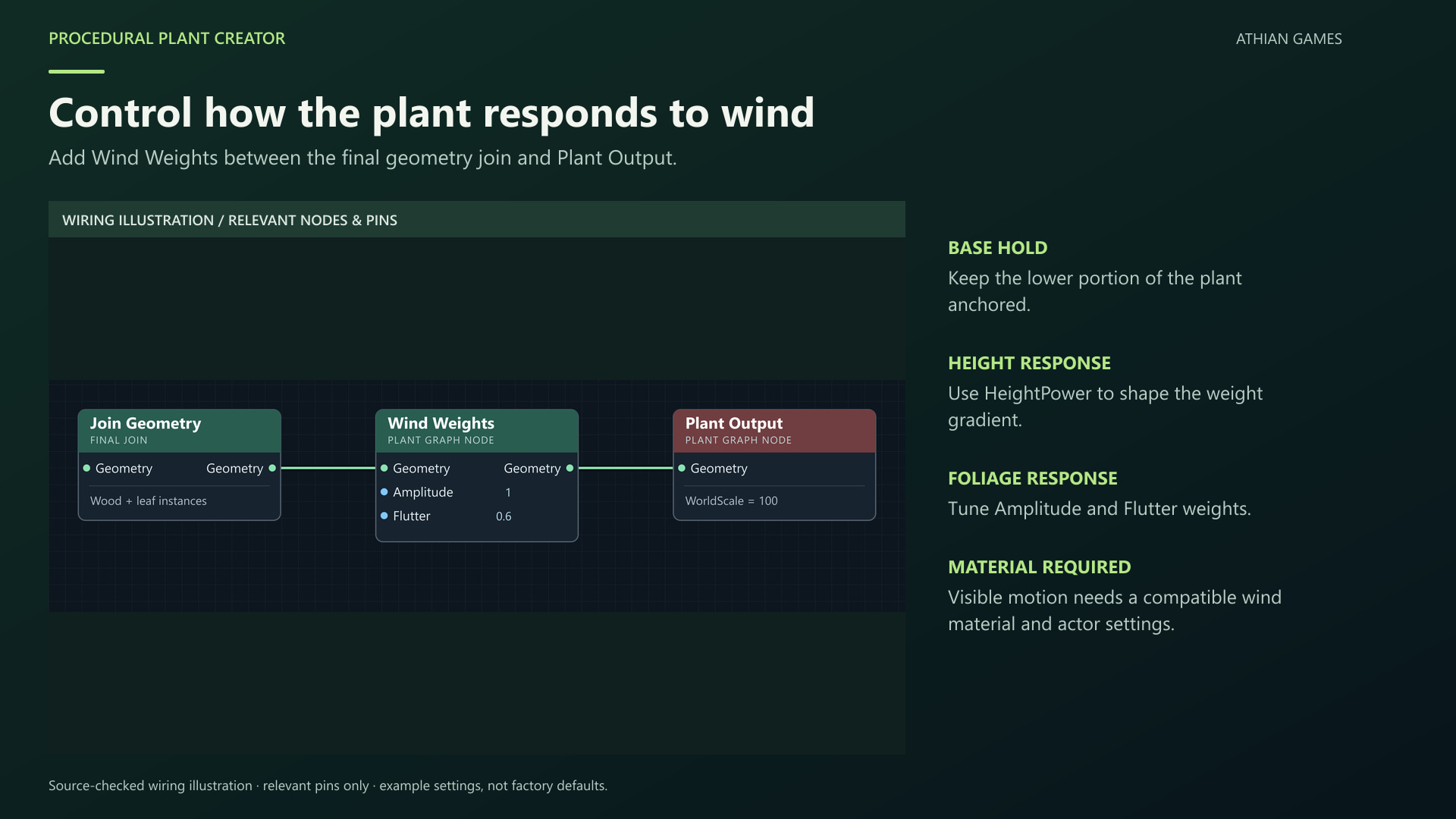
Control wind weighting
Connect Wind Weights near the final output, then use a compatible material. Tune the anchored base, branch influence and leaf flutter.
Learn MoreSelect image to view full size.
Explore stylized plants
Use editable toon graphs and palette materials for broad leaf shapes and readable canopies, then explore the separate woodland example.
Learn MoreSelect image to view full size.
Reuse plants across a scene
Vary actor seeds and overrides independently, export complete meshes for scattering, or bake chosen actors for fixed geometry.
Learn MoreRelated Products
More plugins from Athian Games.

Fabric Motion Studio
Generate motion, shape trajectories and contacts, then export native animation sequences. Explore buffered runtime generation with an offline fallback in the example project.

Minimap, Map and Navigation System
Build a fully customized and texture based Minimap, Map and Navigation System for your next big title.

Runtime FBX Import for Unreal Engine
Asynchronously Import FBX files in your Unreal projects, in runtime
Need Help?
Our support team is here to help you get the most out of Procedural Plant Creator. Whether you have technical questions, need integration assistance, or want to report an issue, we're ready to assist.